One command, both views
Open the analyser and arrangement graph together from REAPER’s Extensions menu. The installer registers the actions for you.
 EA AUDIO
EA ANALYSER / WINDOWS EDITION
VERSION 0.8.3Loudness metering with full REAPER integration. See the readings, follow the history in your arrangement, and keep a compact view beside your mix.
One-time purchase · Windows 64-bit · VST3 + REAPER tools
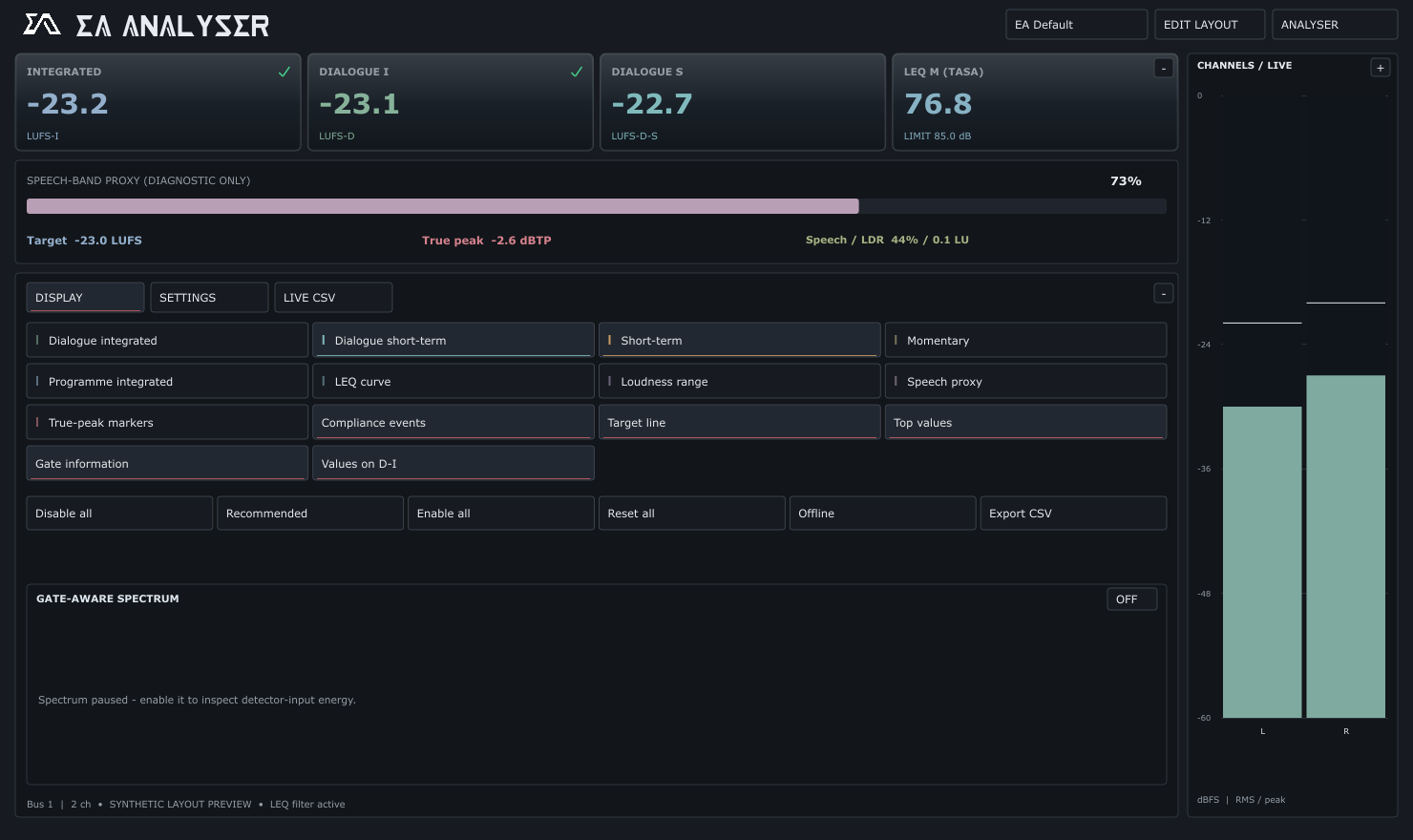
Actual interface rendered with example readings.
01 / RIGHT BESIDE THE AUDIO
Loudness history, target lines and compliance indicators directly in the REAPER arrangement. Find the passage you want to check without losing sight of the session.
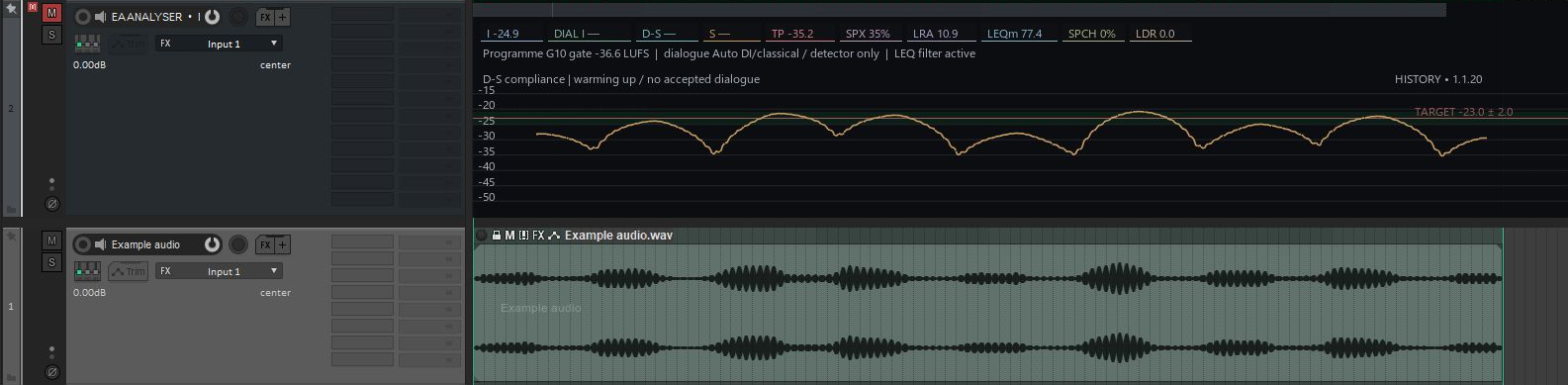
Open the analyser and arrangement graph together from REAPER’s Extensions menu. The installer registers the actions for you.
Dock Quick View for meters and numerical readings. It finds an existing analyser, or can add one to the selected track or Master.
Numerical metering can continue with the transport stopped while REAPER processes incoming or monitored audio.
DOCKABLE QUICK VIEW
Compact docked metering that can stay open with the main editor closed.

02 / A CLEARER VIEW OF LEVEL
Developed through Ebin’s own work on dubbing stages and other mixes. Use it for dialogue, music, effects or the full programme.
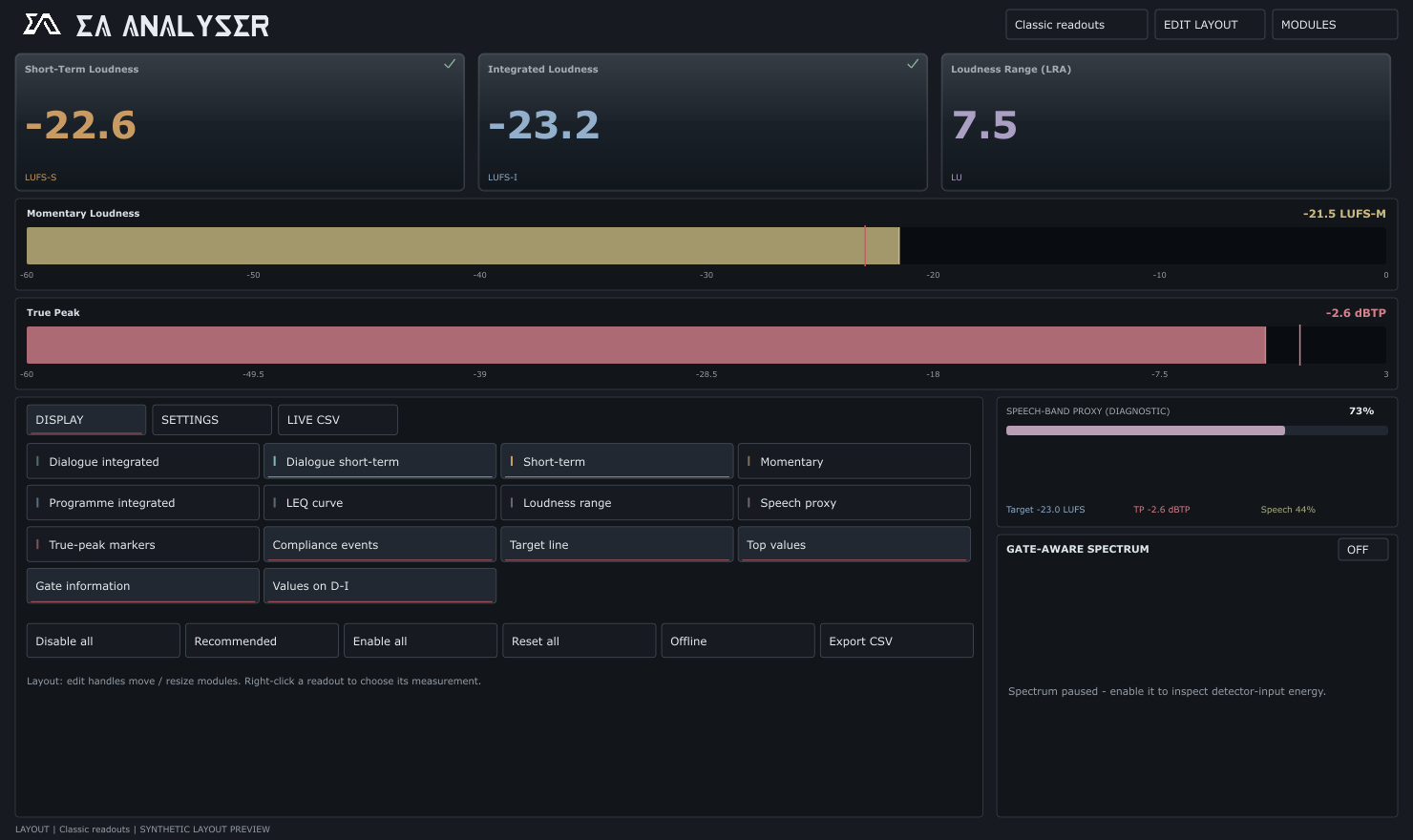
Momentary, short-term and integrated loudness. Dialogue integrated and short-term, true peak, loudness range and LEQ M.
Customisable module layouts, selectable meters and distinct measurement colours. Keep detailed analysis or a compact meter view.
A gate-aware spectrum for inspecting detector input and gating, with a Live CSV view and CSV export for your readings.
03 / GET EA ANALYSER
Version 0.8.3 · Windows 64-bit
VST3 analyser + REAPER integration tools.
US$5 one-time purchase
Buy & download on Ko-fi ↗Updates within the purchased major version are included. Future major-version upgrades may be sold separately. Your purchased version does not expire.
The Windows installer is currently unsigned. A macOS release is not included at present.
Need help with EA Analyser? →HERE TO HELP
Choose your plugin in the support center and include the version, your operating system, DAW and steps to reproduce the issue.
Open support center →