EA AUDIO
A MESSAGE TO THE DEVELOPERS. With respect, from Ebin.READ NOTE

First, I want to make something clear: I am not a professional plugin developer or a coder. I’m an audio professional who enjoys experimenting with ideas, exploring new possibilities, and sharing the tools I create along the way.

RoomMatch is free, and will remain free forever. I’m not doing this to compete with commercial developers or to undermine the incredible work they do. Quite the opposite — I have immense respect for the people who dedicate their time, knowledge, creativity, and countless hours of hard work to building audio plugins.

AI has made it easier for people like me to experiment with ideas that might otherwise have remained just ideas. But generating code and building a truly innovative, reliable, and well-engineered plugin are two very different things. Behind great software is a level of understanding, problem-solving, experience, and creativity that deserves recognition.

To the human developers out there: we need you. Your innovations, your expertise, and your passion are what push this industry forward. AI can be a powerful tool, but it is not a replacement for the ingenuity of people who know their craft and dare to build something new.

These plugins are simply my way of experimenting, learning, and sharing something useful with the audio community.

Much respect to every developer who makes the tools we use possible. Keep innovating. The audio world needs you.

EBIN AUGUSTIN / AUDIO TOOLS

THE TOOLS I USE
EVERY DAY.SHARED WITH YOU.

I’m Ebin Augustin, an audio professional and music producer. These are the tools I build and use in my own projects. I’m sharing them in the hope they’re useful in yours.

EBIN AUGUSTIN · KERALA, INDIA

EA_AUDIO / STUDIO_01
Pixel-art music studio with a waveform on a monitor, speakers, a keyboard, and a plant
● SESSION IN PROGRESSAUDIO TOOLS + MUSIC

NEW / FREE WINDOWS DEVELOPMENT PREVIEW

Dialogue
alignment.

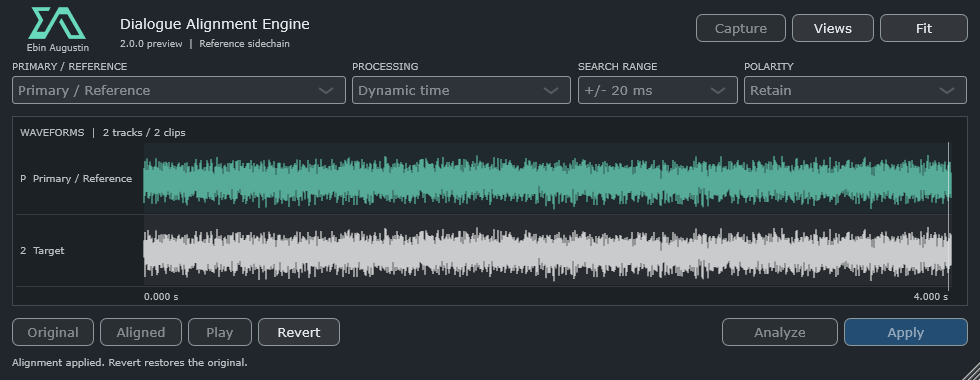
Dialogue Alignment Engine explores dynamic timing and experimental spectral phase correction for the same dialogue performance. Capture selected REAPER items, compare Original and Aligned, and apply the correction in your session.

2.0.0-preview · Windows x64 · VST3 / ARA 2 · Source included
Live-host and listening validation pending. Included AAX build is unsigned.

Dialogue Alignment Engine primary and target waveforms with dynamic time and audition controls

NEW / EA ANALYSER · WINDOWS EDITION

EA Analyser.
Loudness metering.

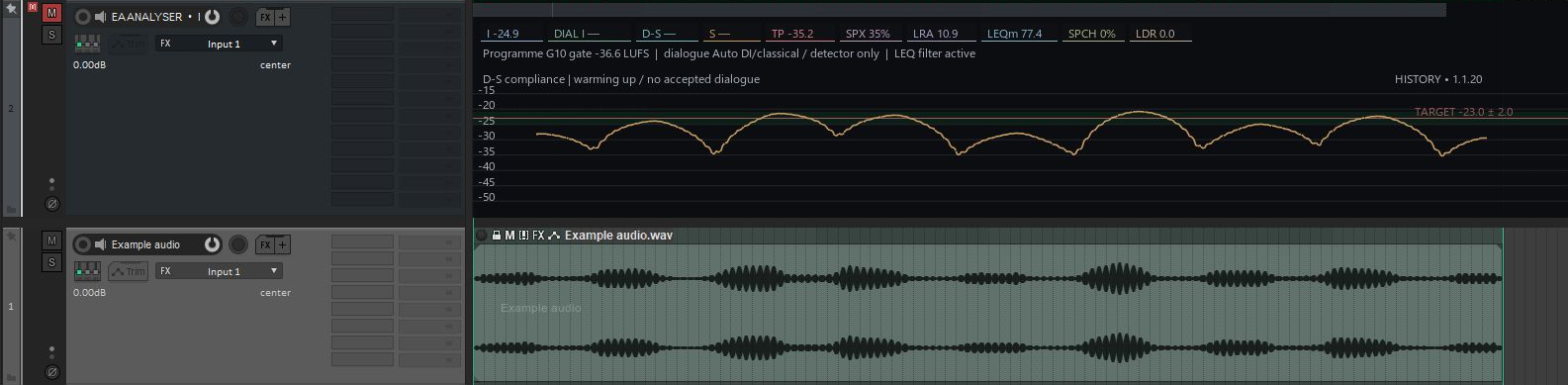
Loudness metering with full REAPER integration. Follow analysis directly in the arrangement, dock a compact Quick View, and choose the meters that fit your workflow.

Windows 64-bit · VST3 + REAPER tools · Version 0.8.3

EA Analyser history lane above example audio in REAPER
OUR FIRST PLUGIN · BETA 0.2.3EA AUDIO / 001

RoomMatch.
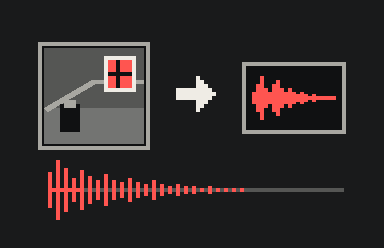
Image to reverb.

Load a room photo, generate an experimental impulse response, and adjust the reverb. I built RoomMatch to try a visual approach to choosing room sound for film mixes.

ROOMMATCH AI SCENE REVERBVST3 + STANDALONEWINDOWS / macOSROOMMATCH · FREE FOREVER ↗

01 / ROOMMATCH INTERFACE

Inside
RoomMatch.

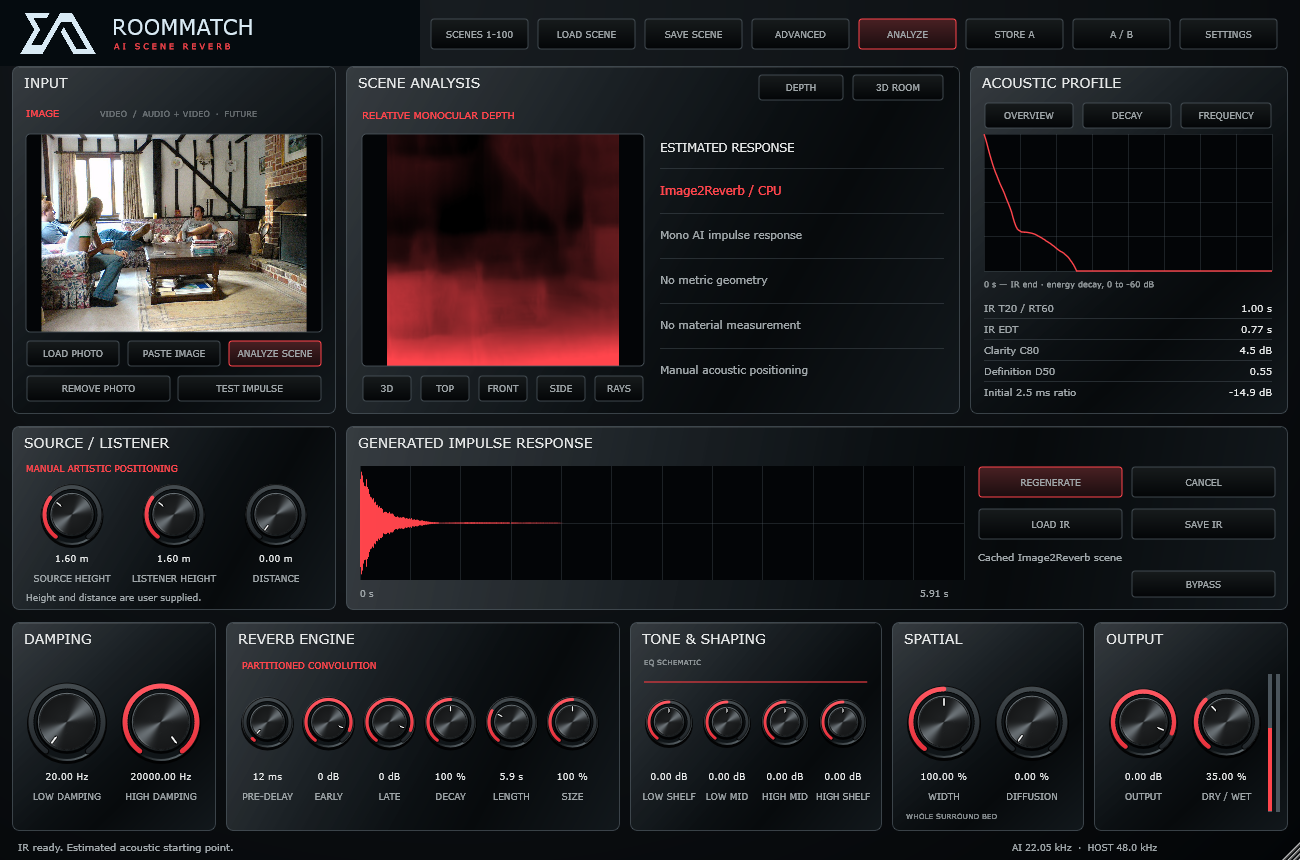
From the first impulse response to the final detail. RoomMatch puts scene analysis, room positioning, and reverb shaping in one workspace.

ROOMMATCH / PRODUCT VIEW
RoomMatch beta interface showing photo input, scene analysis, an impulse response, and reverb controls

Actual RoomMatch beta interface. The 3D room is manually adjustable; photo analysis does not measure room geometry.

02 / FROM IMAGE TO IMPULSE

From photo
to reverb.

A visual idea, an experimental acoustic response, and the controls to take it somewhere new.

01

Bring in a room

Load a photograph of a space. RoomMatch uses the image as the input for its scene analysis.

PHOTOGRAPH

02

Find a starting point

Analyze the scene to generate an AI impulse response. Regenerate to explore another variation.

IMPULSE RESPONSE
03

Make it yours

Adjust the room model and shape the reverb. Save the scene, compare A/B, and recall it in your session.

YOUR SOUND

03 / BEYOND THE FIRST RESPONSE

Reverb controls
and scene slots.

01

Sculpt the reverb

Control decay, pre-delay, early and late reflections, damping, EQ, and dry/wet balance.

02

Explore the space

Edit source and listener positions, dimensions, and materials in the interactive 3D room.

03

Keep your scenes

Store up to 100 scene slots with the original impulse response, settings, and room model.

04

Go beyond stereo

Work with 1–64 channels and multichannel layouts. Atmos object rendering stays with your DAW.

04 / ROOMMATCH BETA · FREE, FOREVER

Download
RoomMatch beta.

RoomMatch beta is free, and will remain free forever. Choose the installer for your computer below.

285RoomMatch downloads

Across all published versions.
Installer downloads reported by GitHub, including repeat downloads.

Last checked 16 Oct 2026, 16:40 UTC. Counts refresh periodically.

Release notes & installation details ↗ · Third-party notices ↗

BETA

Photo analysis suggests an acoustic starting point; it does not measure a room or guarantee a matching decay time.

OPTIONAL SUPPORT

Support EA.

I make these tools for my own audio projects and share them in the hope they help someone else. You can support what I do with a contribution, or by listening to my music.

RoomMatch is free, and will remain free forever.

INDIA / UPI

Google Pay / UPI

Choose any amount in your UPI app.

Support with UPI
ebin.augustin55@oksbi

On a computer? Copy the ID into Google Pay or another UPI app on your phone. Check the recipient before paying.

KO-FI

Support on Ko-fi

Support EA Audio’s tools and development with an optional contribution on Ko-fi.

Support on Ko-fi (opens in a new tab)

Choose your contribution on Ko-fi. Thank you for supporting my work.

ANOTHER WAY TO SUPPORT

Listen to Ebin Augustin.

I’m Ebin Augustin, an EDM producer based in Kerala, India. Explore my music on your favourite platform. If a track connects with you, save it, share it, or follow along for more.

Artist website (opens in a new tab)

A listen, a follow, or sharing a favourite track means a lot. Thank you for supporting the music behind the tools.

NEW / FOR REAPER AUDIO POST

Automation
for REAPER.

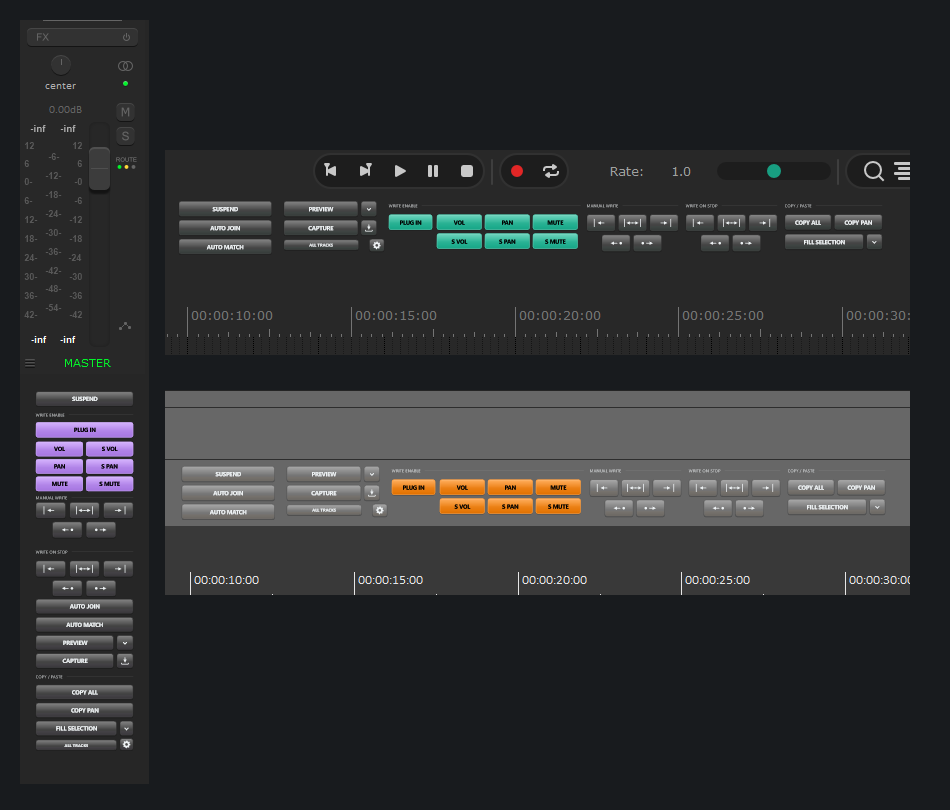
EA Native Automation brings a familiar Pro Tools-inspired workflow to a compact native REAPER panel. Preview, Capture, Manual Write, copy/paste and your own shortcuts.

EA Native Automation docked beneath Master and in shallow horizontal docks

REAPACK 2.2.15 · WINDOWS + MAC

Docking and layout options.

Version 2.2.15 is available through ReaPack for Windows x64 and Mac Intel/Apple Silicon. Dock vertically or horizontally, follow REAPER colours, and right-click for themes, 50–200% sizes and saved show/hide sections.

The latest release offers 104 shortcut actions, individual send-copy slots 1–10, clearer small text and a blinking green Preview button. Drag the Docker divider to reveal fixed-size controls.

Windows and Mac v2.2.15 are available through ReaPack, with direct installers too. Live Mac REAPER testing is still needed; Linux is source only. Track volume/pan Manual Write and envelope visibility have known reports. Current known issues ↗

A FEW THINGS TO KNOW

RoomMatch
questions.

What is RoomMatch?

RoomMatch is EA Audio’s first audio plugin: an experimental image-to-reverb tool. Load a room photo, generate an impulse response, and shape its playback with reverb and spatial controls.

Does it recreate the photographed room exactly?

No. The photo model suggests an acoustic starting point. Room dimensions, materials, and positions are manually adjustable, and the image is not a metric reconstruction or acoustic measurement.

Which formats and platforms are available?

RoomMatch beta is available for Windows x64, Mac Apple Silicon, and Mac Intel. Each package includes a VST3 plugin and a standalone application.

Does photo analysis need an internet connection?

The complete packages include the AI model and runtime for offline inference. First-time preparation can take a few minutes. See the release notes for installation details.
How do I install RoomMatch?

Close your DAW before installing. On Windows, extract the complete ZIP and run Install RoomMatch.cmd. On Mac, choose the PKG for Apple Silicon or Intel. The Mac packages are not Apple notarized. See the release notes for installation details.